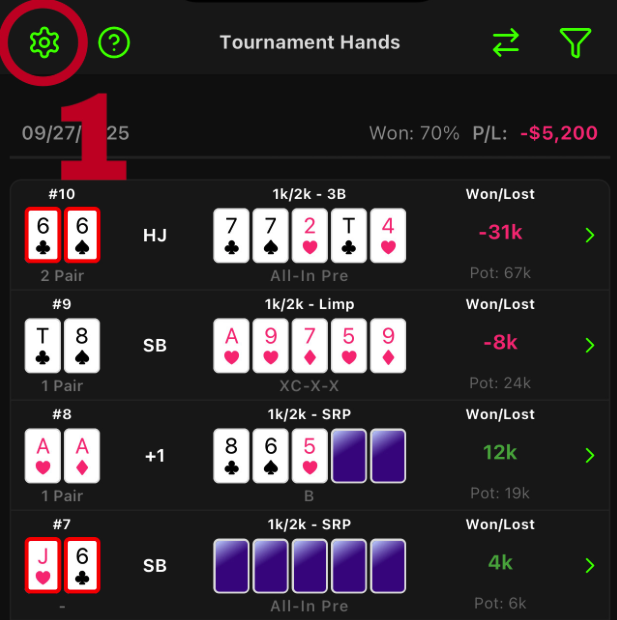
1. Tap the “Settings” icon in the top left corner of Dashboard to go to Settings.
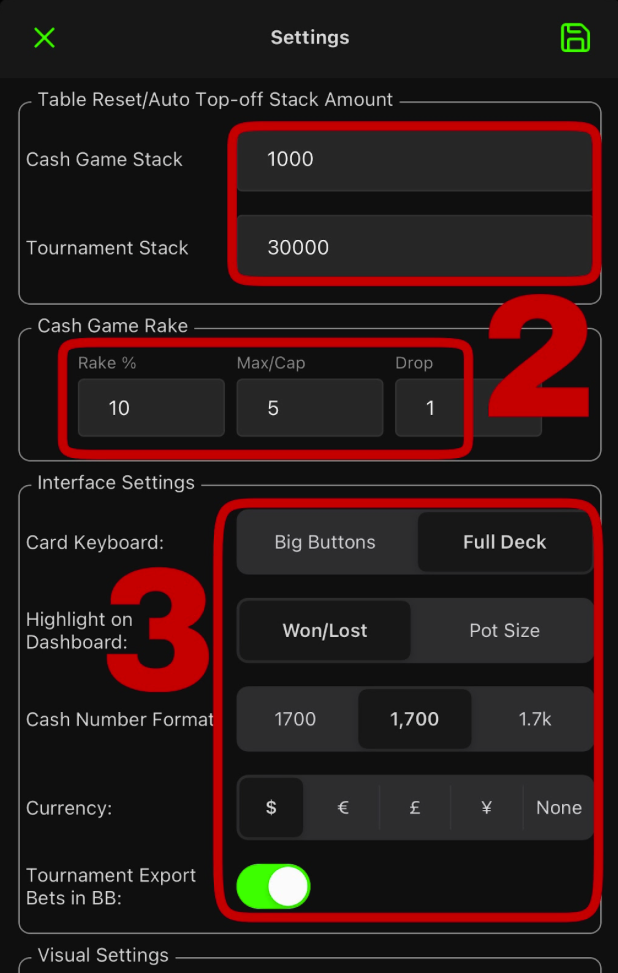
Select defaults for your game, including stack size players will be assigned initially in both cash and tournament, as well as rake/drop taken from cash pots (Crusher subscriber feature).
IMPORTANT: Resetting a table will default all players to the stack size entered in this menu
IMPORTANT: Rake is taken in incremental amounts up to a % of the pot, whereas Drop is a flat amount taken either instead of Rake or in addition to Rake for the purpose of promotions and jackpot bonus.
Choose your interface preferences for card keyboard, highlighted numerical amount, number format, currency, and showing tourney bets in BB.
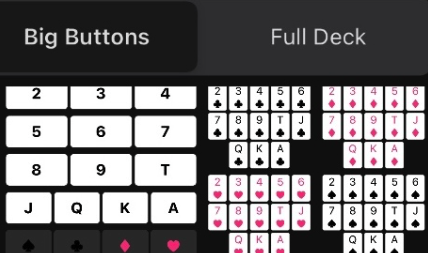
“Big Buttons” (larger icons for input but requires selecting card and suit independently) vs “Full Deck” (unique icon for each card in the deck)
“Won/Lost” (amount hero’s stack changed during a hand) vs “Pot Size” (total amount in the pot)
NOTE: If hero profited in the hand, the amount is always green; otherwise it is shown in red.
6. Tap the “Save” icon in the top right corner. Save any time you make changes in this menu.